Where and how to manage?
-
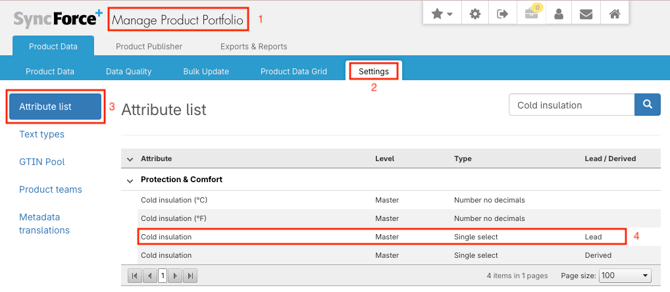
Go to Manage Product Portfolio
-
Click on Settings
-
Click on Attribute list
-
Find and select the Lead attribute you need to update
-
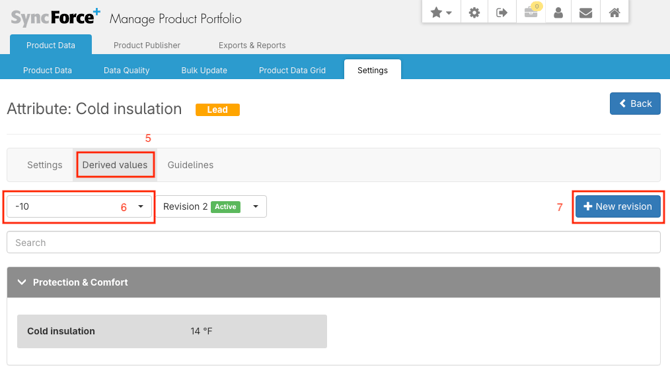
Go to Derived values tab
-
Select the Lead value you need to update
-
If needed, create a New revision and click the blue pencil edit button
-
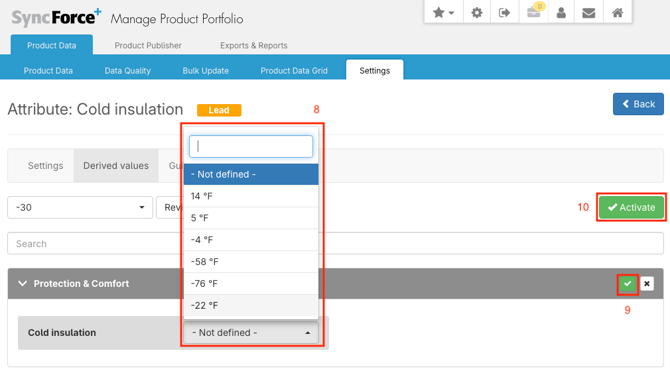
Select the correct derived value(s) you need to update
-
Click the green confirm button
-
Activate the new Lead & derived value pair revision